 Home
Home
Manual Sync to Smart Automation
Elevating the Bushnell Trail Cameras App Experience
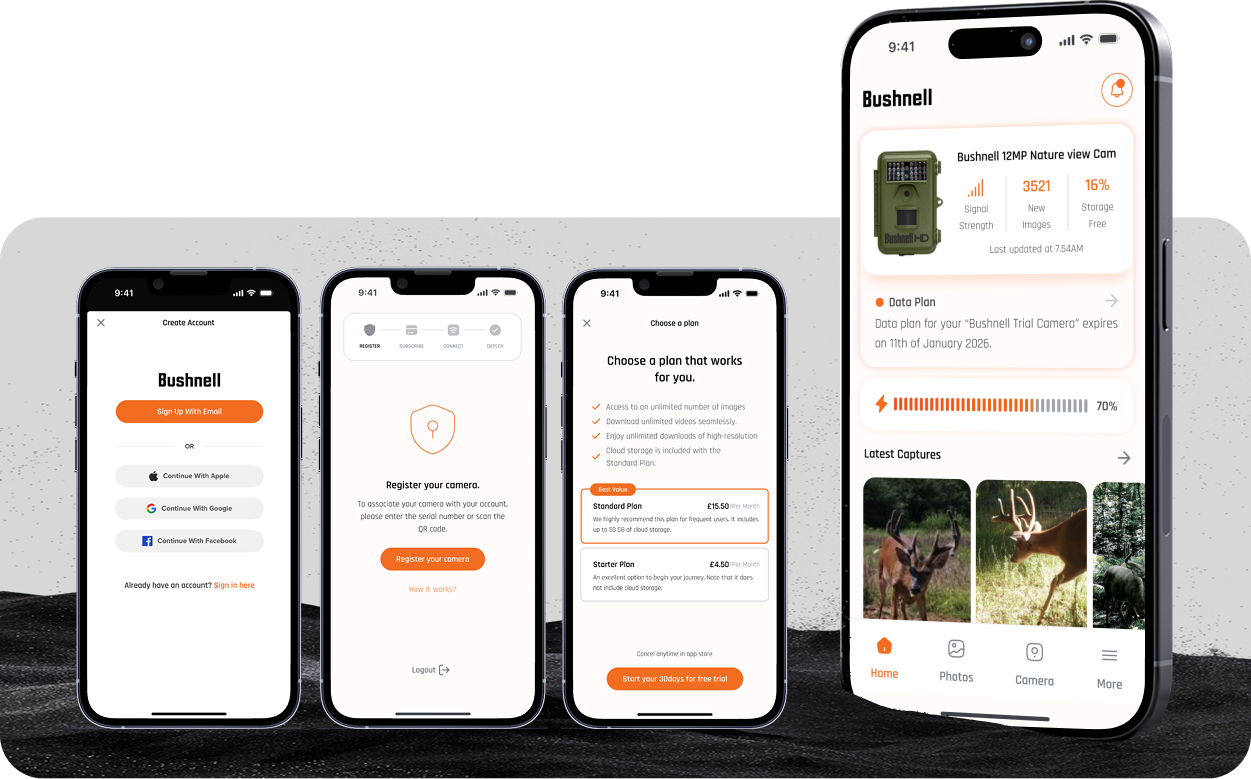
Introduction
Enhanced the user experience of the Bushnell Trail Cameras app by improving how users connect their cameras, access images, and manage captured content.
Pain Points
- Users found it difficult to register and sync mobile app with their trail cameras.
- Navigation made viewing captured images hard to find.
- Tagging, editing, and sharing actions were buried and unclear.
- The overall experience felt outdated and unintuitive.
Problem Definition
The existing Bushnell mobile app had unclear flows, poor usability, and inconsistent syncing behaviour, leading to frustration and reduced engagement. Users needed a smoother, more guided experience to manage their cameras and access their captured images reliably.
Jobs to Be Done
When users connect their Bushnell trail camera, they need a simple and reliable way to set it up, sync images automatically, and view or manage their content easily so they can focus on monitoring wildlife.
Screens
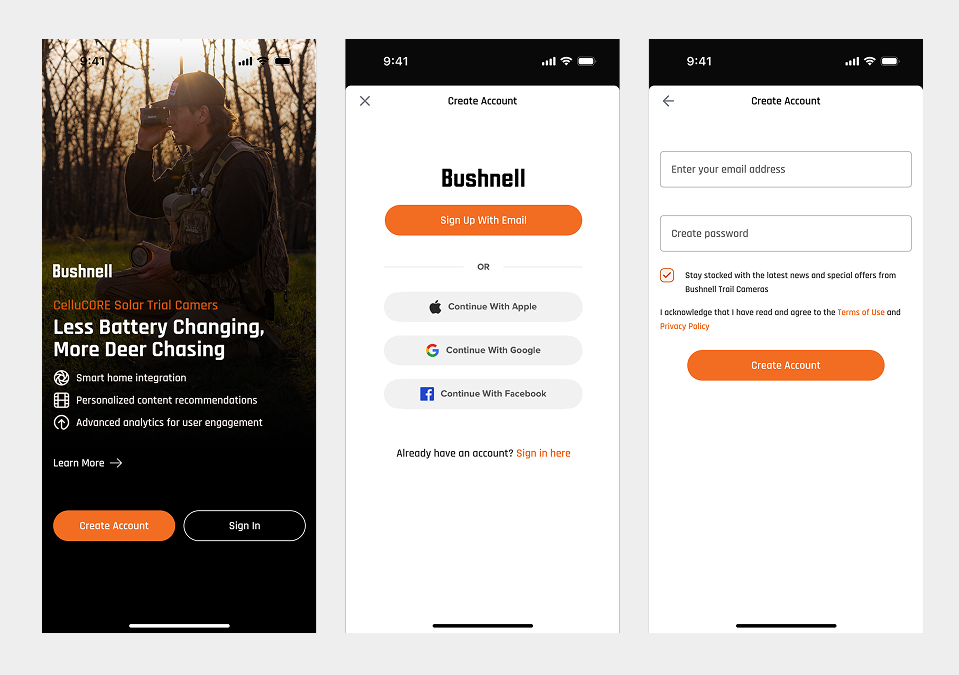
Sign-up and account creation flow
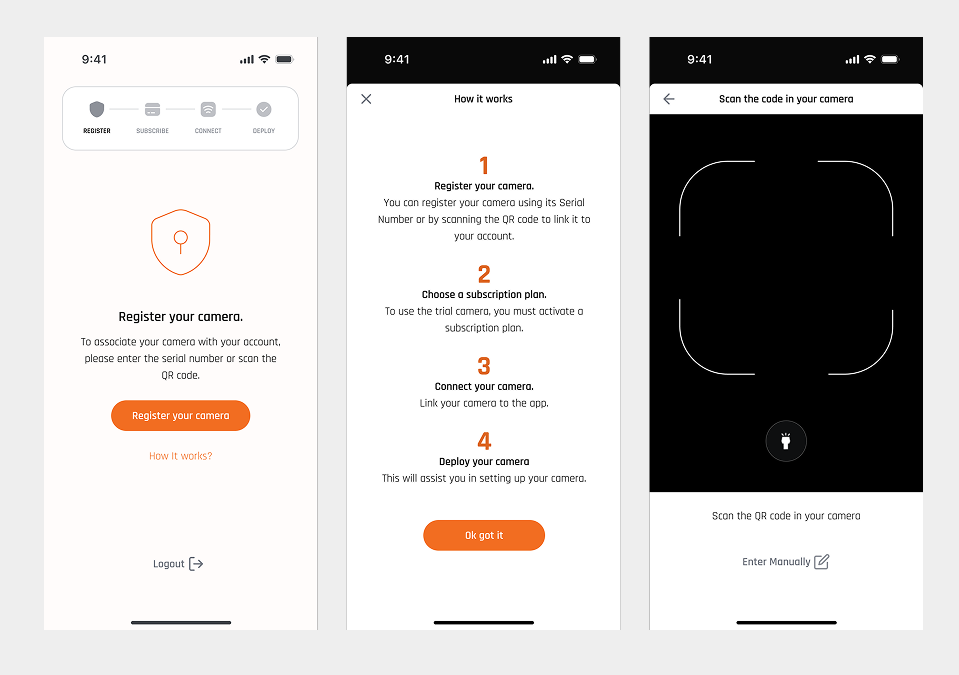
Registering a physical trail camera within the app
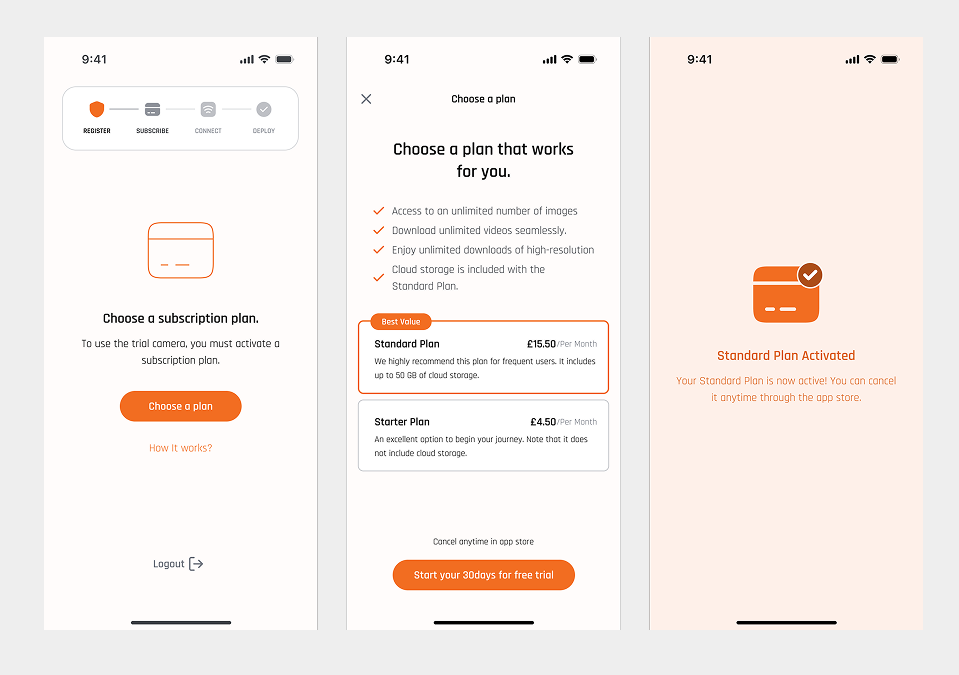
Selecting a subscription plan for the camera
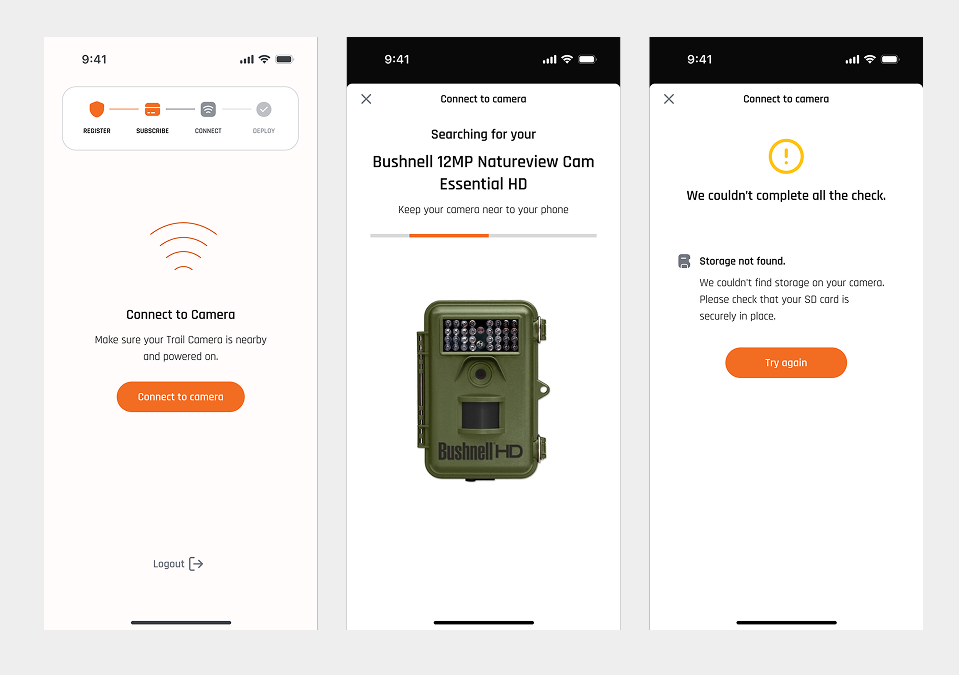
Syncing the camera with the app and server
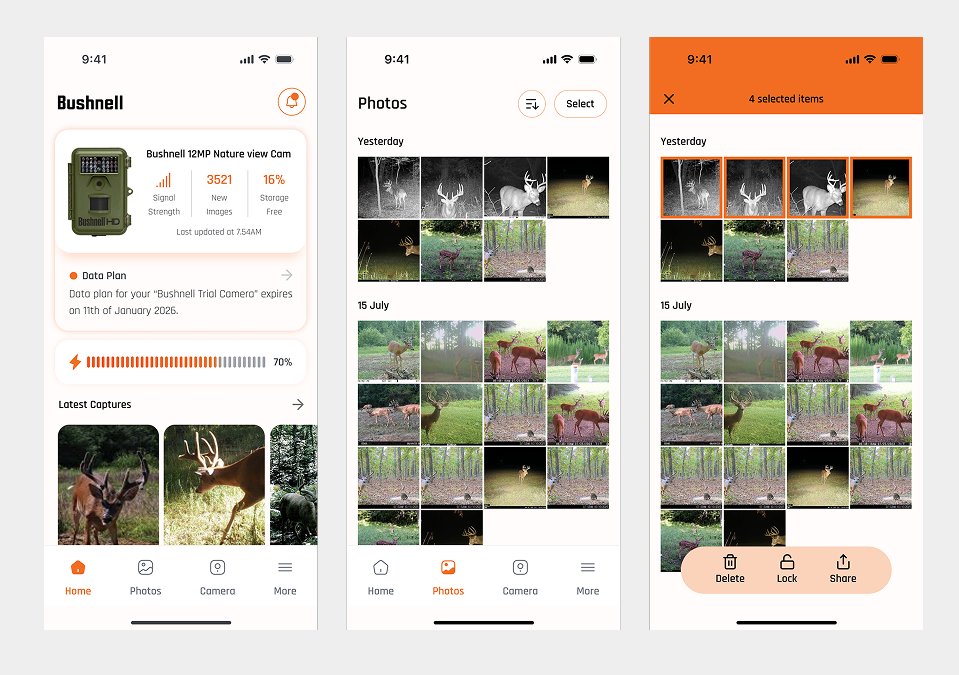
Home screen and viewing captured images
My Role
I served as the UX/UI designer for this project. I analyzed the existing app to uncover usability issues, created wireframes and user flows to redesign key interactions, built interactive prototypes, and delivered the final high-fidelity screens for development
Want to learn more?
Let’s connect so I can walk you through the project.
Book a call on Calendly View Next Project